Creator guide · 23 September 2026
How to edit a talking-head video from raw takes.
Start with the clearest point, keep the take that says it best, then remove the parts that slow it down. Add captions and visuals only where they help someone follow the idea.
By the EditorOP team · A practical workflow, not a performance study.
The whole edit
Four passes, one clear message.
- 01
Select
Find the strongest complete thought.
- 02
Cut
Remove dead air and repeated starts.
- 03
Support
Add captions and relevant visuals.
- 04
Review
Watch and listen on a phone.
1. Choose the point before the take.
Write one sentence describing what a viewer should learn. Watch all takes and mark the first complete explanation of that point. A confident but incomplete sentence can be a worse opening than a quieter, clearer one.
2. Cut the repeat, keep the breath.
Remove long setup, false starts and repeated sentences. Play across each cut with your eyes closed: if a word gets clipped or the rhythm sounds unnatural, give the speaker a little space. Do not join two phrases if the result changes what they meant.
Illustrative cut map
The map is an editing example, not a recording or measured result.
3. Let the visuals explain, not interrupt.
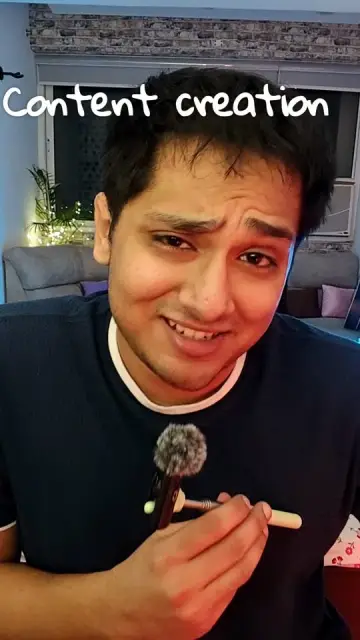
Caption the actual words, correct names and keep lines short enough to read on a phone. Add B-roll when it shows a product, location or action the speaker names. Keep the person on screen when their expression carries the point.

Raw frame
Title treatment
4. Review the export like a viewer.
Watch the finished file on a phone with sound on, then once with sound off. Listen for music covering a word, check captions against the speech, and look for a mismatched visual. If a cut changes the meaning, fix it before posting.
Which editing tool fits this workflow?
A manual timeline gives you every decision. An AI editor can make a first cut that you review. Long-video clippers and caption tools solve different parts of the process.
Compare seven creator workflowsTry an AI first cut in EditorOP.
Upload raw talking-head clips, review the cuts and change the timeline before export.
Make a reel